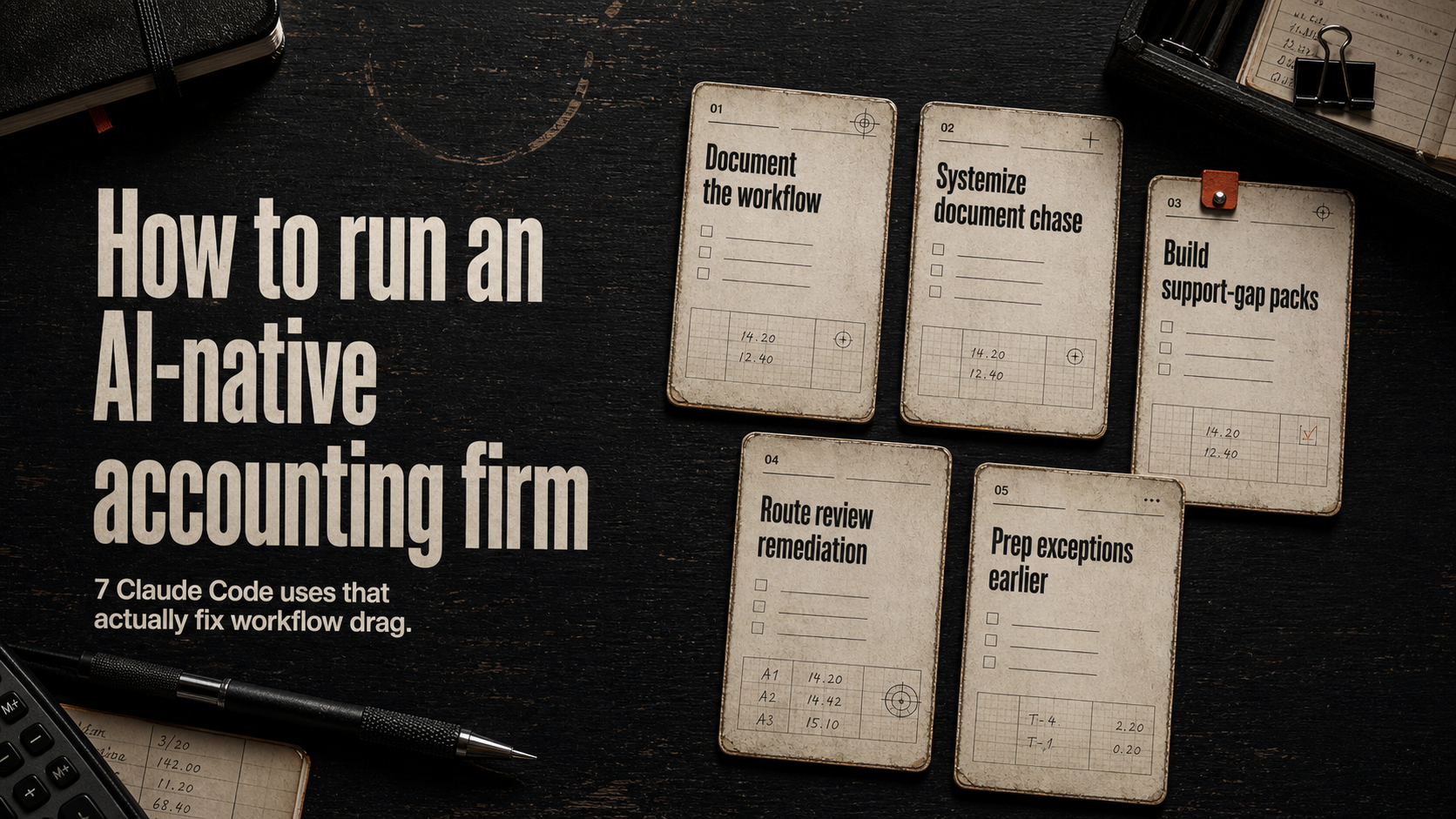
How to run an AI-native accounting firm: the 7 best uses of Claude Code for accounting professionals who want less reconstruction, less review drag, and less workflow amnesia — without handing accounting judgment to a model.
Spend ten minutes online and AI-native accounting sounds like one of two things.
Either it sounds like a future-of-work sermon written by someone who has never watched month-end crawl across a firm like a weather event.
Or it sounds like a software fever dream where the books magically close themselves, nobody reviews anything twice, and the hard parts of accounting quietly vanish because a demo looked clean on a webinar.
That is not how real firms get better.
Real firms get better when expensive people stop wasting their best hours reconstructing context that should have traveled with the work in the first place.
That is the part most AI transformation talk skips.
The real drag inside a lot of accounting firms is not a shortage of AI access. It is a shortage of workflow trust.
The staff member is not sure what is safe to use AI for. The manager already suspects they will have to rewrite the missing closeout context anyway. The partner does not see a clear boundary between what AI may help package and what a human still has to judge. And under deadline pressure, everybody defaults back to the old habit: do it manually, do it fast, and pray the handoff somehow makes sense to the next person.
That is why a lot of firms can talk about AI constantly while still operating like the same tired machine with a shinier homepage.
So let’s make the term useful.
An AI-native accounting firm is not the firm with the most AI subscriptions. It is not the firm where everyone has a chatbot tab open. It is not the firm with the most theatrical internal language about innovation.
An AI-native accounting firm is the firm where AI assistance has been installed into the workflow in a way people can actually trust: - the work object is clear; - the support trail is inspectable; - the review boundary is explicit; - the human owner is obvious; - the process still works during busy season; - and the output reduces reconstruction instead of creating more of it.
That definition matters because it immediately tells you what to do next.
Do not start by asking, Where can we use more AI?
Start by asking, Where are our qualified people still wasting time rebuilding what the workflow should have made obvious?
That is where the first real AI-native win lives.
And that is exactly where Claude Code can become unusually useful for accounting professionals.
Not because it should be making accounting judgments. Not because it should sign off on reconciliations. Not because it should be turned loose on a live accounting system like a caffeinated intern with production access and a motivational podcast addiction.
Claude Code is valuable in accounting when it sits around the expert work and improves the artifacts that let expert work move.
Files. Checklists. Support packs. Review trackers. Exception summaries. Process maps. Change logs. Small internal scripts. The stuff no keynote speaker wants to put on a slide because it sounds boring.
Boring is fine. Boring is where the hours are.
If you want to run an AI-native accounting firm, here are the seven best uses of Claude Code for accounting professionals — and more importantly, why each one matters operationally.
First, the reframe most firms need
Most accounting firms do not have an AI readiness problem first.
They have a workflow readiness problem first.
That shows up in familiar ways.
A manager opens a workpaper and still has to piece together what changed from four email threads, two half-named files, and one comment that says fixed per call as if everybody else on earth was apparently on the call.
A reviewer gets a reconciliation that technically ties but comes with no clean explanation of what moved, why it moved, which support changed, and what still needs attention.
A partner hears we used AI to speed this part up and immediately wonders which part, under what rules, with whose review, and whether anyone quietly swapped out judgment for convenience.
A preparer wants to use AI, but the workflow gives them no confidence about what is safe, what is draft-only, what requires approval, and what will make them look reckless if it goes sideways.
None of those are really model problems. They are operating-system problems.
That is the core thesis of this article:
You do not become AI-native by sprinkling AI across the firm. You become AI-native by installing clear, repeatable, trust-safe workflow layers around the work that already exists.
And in that model, Claude Code is not the accountant. It is the workflow builder, the packager, the summarizer, the diff helper, the tracker drafter, and the internal scripting assistant that removes admin drag around expert work.
That distinction is not legal wallpaper. It is the difference between a firm that gets real leverage and a firm that creates a bigger mess with better branding.
What Claude Code is actually good for in an accounting firm
Claude Code is strongest when the work has one or more of these traits:
- the output lives in files, text, structured notes, folders, CSVs, exports, or simple scripts;
- the workflow object can be clearly defined;
- the human review boundary can stay explicit;
- the model is helping prepare, organize, summarize, or package the work rather than issuing the final accounting conclusion;
- the main problem is not lack of intelligence but too much reconstruction.
That last one matters most.
A surprising amount of accounting pain is not high judgment. It is high friction.
Missing context. Unclear ownership. Stale procedures. Messy follow-up. Weak support packaging. Review comments scattered across five places. Exception work that could have been triaged cleanly but instead arrives like somebody tipped over a filing cabinet into Slack.
If you clean that up, the firm feels smarter almost immediately. Not because the humans became better accountants overnight. Because the workflow stopped wasting their attention.
That is the real promise here.
Now to the seven uses.
1) Use Claude Code to turn tribal workflow into operating documentation people can actually run
A lot of firms think they have documented processes. What they often have is a stack of half-truths.
One SOP written eighteen months ago.
Three workarounds people learned by survival.
One senior person who just knows how it works.
And a lingering cultural assumption that documentation is a nice-to-have right up until that one person takes a day off and everyone suddenly becomes a historian.
This is one of the cleanest starting points for Claude Code.
Not because it should invent policy.
Not because it should decide accounting treatment.
But because it is extremely useful at taking messy, real, existing workflow input and helping you turn it into:
- step-by-step operating procedures;
- role-based checklists;
- handoff templates;
- exception trees;
- pre-review and closeout requirements;
- what good looks like examples;
- change logs when the process evolves.
Why this matters for an AI-native accounting firm:
If the workflow only lives in heads, then AI use will stay politically risky. People will not know what they are allowed to draft. They will not know which work objects need review. They will not know when an output is support-ready versus still unsafe. And every small automation effort will feel like a custom adventure rather than a repeatable operating layer.
An AI-native firm needs process memory outside the people.
Claude Code can help you draft and maintain that memory faster than waiting for someone to write pristine documentation on a Friday afternoon they never actually have.
Used well, it can take raw notes like these:
- bookkeeper updates AP register weekly
- manager checks vendor coding exceptions
- closeout note required for anything over threshold
- partner review only after support pack complete
…and turn them into a clean process document that says: - who owns each step; - what triggers movement; - what artifact must exist before handoff; - what stops the workflow; - where review begins; - what can be AI-assisted and what cannot.
That is not glamorous.
It is also the difference between we are experimenting with AI and we have a workflow humans can trust.
Control boundary: Claude Code can help structure, draft, compare, and update the documentation. A named human should still approve the final procedure and decide the real control points.
If you want one signal that a firm is becoming AI-native, it is this: process knowledge starts becoming inspectable instead of mythical.
2) Use Claude Code to turn document chase into a system instead of a personality trait
Every accounting firm has at least one workflow where somebody’s job quietly became professional reminder machine.
Missing receipts. Incomplete support. Half-sent PDFs. A client who swears they uploaded everything. A team member following up for the third time because the workflow still depends on memory, tolerance for annoyance, and whoever feels guilty enough to chase next.
This is not sophisticated finance work. This is clerical traffic with emotional side effects.
Claude Code is useful here because it can help create and maintain the supporting artifacts around document collection and intake:
- missing-document trackers;
- role-based reminder sequences;
- intake checklists;
- request templates that change by workflow type;
- escalation notes;
- status summaries;
- received / missing / blocked reports;
- closeout notes that show what still needs to arrive before review starts.
Again: not because it should directly operate client communications without approval. Not because it should decide what counts as sufficient support in a sensitive case. But because a huge amount of document chase is repetitive, structured, and cursed in exactly the way AI should be allowed to help.
Why this matters for an AI-native accounting firm:
A firm does not feel AI-native when every workflow slows down at the intake point. It feels AI-native when work enters the system with fewer missing pieces, clearer statuses, and less dependency on heroic follow-up.
That is a serious operating upgrade.
Because once intake stops being chaos, the downstream steps improve too:
- fewer review delays;
- cleaner support packaging;
- better ownership;
- less reopening;
- fewer awkward who is waiting on what meetings where everyone suddenly develops excellent camera-off discipline.
Claude Code can help you standardize the system that surrounds document chase: - what gets requested; - in what format; - by whom; - how the status is recorded; - when the issue escalates; - what artifacts should exist before the work moves forward.
That is what firms usually miss.
They think AI-native means automate later-stage judgment.
Often the first high-value move is much simpler:
make it harder for work to arrive half-formed.
Control boundary: A human still decides whether the support is sufficient. A human still handles sensitive exceptions and relationship-specific situations. The AI-assisted layer helps run the control plane around the intake, not the accounting judgment itself.
3) Use Claude Code to create support-gap packs and closeout notes before review begins
One of the most expensive habits in an accounting firm is making reviewers reconstruct the story themselves.
They open the file. They see numbers. Maybe they see changes. What they do not see — at least not quickly — is: - what changed; - why it changed; - which support moved; - what remains unresolved; - what the preparer already checked; - where the weak spots still are.
So the reviewer becomes an archaeologist.
This is where Claude Code can be absurdly useful.
Not for deciding whether the accounting is right. For generating the support artifacts that let a human reviewer begin with context instead of suspicion.
The use cases here include:
- support-gap lists for missing evidence;
- workpaper closeout notes;
- changed-area summaries;
- pending-exception packets;
- reviewer-facing navigation notes;
- assumption summaries;
- what still needs eyes snapshots.
This is one of the clearest expressions of the AI-native reframe.
An AI-native accounting firm does not simply move faster. It moves with less avoidable context loss.
That means the work carries its own explanatory layer. The reviewer should not have to rebuild the mental model from scraps every time the file changes hands.
If Claude Code helps your preparers produce cleaner closeout notes and support-gap packs, you get leverage in three directions at once: 1. reviewers start with more context; 2. preparers learn to package work more clearly; 3. managers stop spending as much time dragging missing meaning out of the file like a bad confession.
This matters even more during busy season.
In quiet weeks, a sloppy handoff can survive because someone still has the spare bandwidth to explain it live. During pressure, sloppy handoffs become compound-interest pain. Nobody remembers why the assumption changed. Nobody remembers which export got replaced. Nobody remembers whether the unresolved item is truly unresolved or just badly documented.
That is how expert time gets burned on reconstruction instead of judgment.
Claude Code can help turn raw preparer notes into something closer to a reviewer packet: - what changed; - where to look first; - what support still needs confirmation; - what is mechanically complete but judgment-sensitive; - what should block sign-off.
Control boundary: A human reviewer still judges sufficiency. A human reviewer still decides whether the explanation is credible. The AI layer prepares the pack. It does not certify the pack.
If you only used Claude Code for this one job in a mid-sized firm, the time savings in reduced review friction could be meaningful even before you touched anything more ambitious.
4) Use Claude Code to turn review comments into owner-based remediation loops
Review comments are where workflow discipline goes to either mature or die.
In a weak system, comments arrive in fragments:
- email threads;
- Slack pings;
- call notes;
- workbook comments;
- hallway-memory summaries;
- one sentence that says fix this area as if the area in question is obvious to anyone not currently inside the sender’s skull.
That creates two kinds of waste.
First, the person doing the fix wastes time interpreting the note. Second, the reviewer later wastes time checking whether the note was actually resolved, partially addressed, or simply moved into a different form of confusion.
Claude Code is extremely well suited to the artifact layer around this problem.
It can help you turn messy review feedback into:
- owner-based remediation trackers;
- clean issue lists;
- grouped comments by section or workpaper area;
- open / resolved / pending evidence status structures;
- summary notes for follow-up review;
- escalation summaries when comments reveal deeper process problems.
Why this matters for an AI-native accounting firm:
Because AI-native is not just about speed on the first pass.
It is about how the workflow behaves in revision.
Most accounting work does not move in one perfect line from start to finish. It loops. It gets corrected. It gets clarified. It gets reopened. So a firm becomes meaningfully better when those loops become cleaner, shorter, and more inspectable.
This is also where staff confidence improves. When review comments become structured and owned, AI use stops feeling like a private gamble. The preparer knows what changed, what remains open, what is awaiting evidence, and what will actually satisfy the reviewer.
That lowers the political temperature around AI-assisted work.
It stops being I hope this doesn’t make me look sloppy and starts becoming the workflow tells me exactly how to close the loop.
That is a huge shift. And it is one of the more underrated reasons firms struggle with adoption: not because the model is unavailable, but because the social workflow around correction is still mush.
Claude Code can help remove that mush.
Control boundary: The reviewer closes the issue, not the model. The model helps package the remediation loop so the humans stop losing time in avoidable ambiguity.
5) Use Claude Code to package reconciliation prep and exception work so judgment starts earlier
There is a big difference between doing the reconciliation and preparing the reconciliation work so a qualified human can judge it faster.
A lot of firms blur those two ideas. Then they either avoid automation entirely because it feels risky, or they overreach and promise automation in places that should remain under human control.
The better move is narrower.
Use Claude Code around the exception-handling workflow: - draft exception summaries; - package unmatched items into review-ready lists; - normalize investigation notes; - create reviewer-facing status snapshots; - summarize what cleared versus what remains ambiguous; - keep track of evidence still needed before sign-off.
That is enormously useful because exception work is where process often gets sticky.
Not all of it is difficult because the accounting judgment is hard. Sometimes it is difficult because the information is scattered, the notes are inconsistent, and the next reviewer has to reverse-engineer what already happened.
That is wasted expert time.
An AI-native accounting firm wants a reviewer to begin closer to the real decision.
Not at the wait, what is this even about layer.
This use case is especially powerful in firms where managers or controllers are repeatedly forced to rebuild context before they can assess an issue. If Claude Code can turn raw investigation fragments into cleaner exception packs, you reduce the number of times a senior person has to start from rubble.
And that matters commercially.
Because the senior person is expensive. Their judgment is the scarce resource. The whole workflow should be designed to preserve that resource for the part only they can do.
Not for the part any competent system should have already organized.
Control boundary: Claude Code can help summarize the exception landscape and draft the review packet. It should not decide the final coding, materiality, treatment, or sign-off result. Those stay with the human who owns the judgment.
If you want one phrase to remember from this section, it is this: Package the ambiguity. Do not outsource the judgment.
That is how a real AI-native accounting workflow stays credible.
6) Use Claude Code to keep controls, assumptions, and process changes from rotting in silence
A strange amount of operational pain in accounting comes from stale truth.
The process changed. The threshold changed. The approval path changed. The client expectation changed. The support requirement changed. The assumption changed. But the documentation did not change with it.
Then two weeks later someone follows the old process, someone else reviews against the new expectation, and everyone acts surprised that the workflow feels unstable.
This is not a glamorous AI use case. It is also one of the most practical.
Claude Code can help maintain:
- assumption registers;
- control narratives;
- process change logs;
- role handoff documentation;
- exception rules;
- internal policy notes;
- version comparisons between old and new procedures;
- what changed and why summaries.
Why this matters for an AI-native accounting firm:
Because AI-native operation is impossible if the source of truth keeps drifting.
If the workflow artifacts lag behind reality, then every AI-assisted step becomes riskier: - the wrong checklist gets used; - the wrong threshold gets referenced; - the wrong owner gets assumed; - the wrong expectation gets packaged into the handoff.
At that point the team is not really operating with AI. It is operating with stale memory plus automation garnish.
That is how firms accidentally create more complexity in the name of modernization.
The simple win here is to let Claude Code help with the maintenance labor that nobody consistently prioritizes: - update the procedure after the workflow changes; - compare the old version to the new one; - summarize the delta; - generate the note that tells the team what changed; - keep assumption and control artifacts in sync with lived practice.
This is one of the clearest signs that a firm is getting operationally healthier.
Not just more innovative.
Healthier.
Because the workflow stops relying on outdated lore and starts behaving like a maintained system.
Control boundary: Humans still approve the policy, control language, and operational rule. Claude Code helps draft, compare, and maintain the artifacts so the firm stops running major workflow dependencies off wishful memory.
7) Use Claude Code to build small internal tools that remove repetitive admin drag
This is the use case that sounds most technical and usually scares people for the wrong reason.
You do not need to turn your accounting firm into a software company. You do not need an engineering department before you can benefit from this. You do not need to pretend everyone wants to become a command-line power user with six monitors and a personality disorder built around keyboard shortcuts.
What you do need is honesty about how much nonsense still happens around the work.
Files named inconsistently. Folders created by vibes. Exports cleaned manually every week. CSV layouts normalized by the same person every month. Closeout pack structures rebuilt by hand. Recurring reminder sheets copied from an old template and then quietly damaged. Basic QA checks done manually because nobody ever bothered to script the boring part.
Those are excellent Claude Code lanes.
Not because the model should run the accounting function. Because it can help draft or refine tiny internal utilities that reduce repetitive admin friction around the function.
Think about scripts and helpers for things like: - standardizing folder structures; - renaming files consistently; - turning raw exports into cleaner working formats; - preparing closeout packet skeletons; - generating recurring tracker templates; - checking for missing required fields in a handoff file; - comparing versions of procedural documentation; - summarizing differences across two text-based workflow artifacts.
These are not headline-grabbing AI transformations. They are leverage.
And leverage compounds.
A firm starts to feel AI-native when dozens of small points of drag begin disappearing from the weekly experience of the work. Not because one grand platform arrived, but because the workflow became less stupid in recurring places.
This is also where Claude Code becomes a bridge between operator knowledge and lightweight tooling. A good accounting operator can describe the annoyance precisely. Claude Code can help turn that annoyance into a small utility or repeatable system artifact. Then the humans test it, approve it, and keep the judgment boundary exactly where it belongs.
That is a sane modernization path. Not theatrical. Not reckless. Actually useful.
Control boundary: No script should silently replace an approval gate, override a control, or issue an accounting conclusion. Small tooling should reduce transport work, packaging work, and formatting work — not erase human ownership.
So what does an AI-native accounting firm actually look like?
It looks less magical than people think. And that is good news.
It looks like a firm where: - procedures are written well enough that AI-assisted work is allowed inside clear boundaries; - intake is cleaner; - support moves with the work; - review comments become structured loops instead of emotional weather; - exception work arrives with more context; - assumptions and control narratives stay current; - small tooling removes repetitive overhead around the file and workflow layer; - and senior people spend more time on judgment than on archaeology.
That is what the term should mean.
Not AI everywhere.
Not autonomy for its own sake.
Not let the model have a go and see what happens.
A firm becomes AI-native when the workflow gets rebuilt to make AI assistance: - narrow enough to trust, - useful enough to matter, - documented enough to repeat, - and bounded enough to survive contact with reality.
This is also why the best rollout pattern is usually one workflow at a time.
Pick one recurring lane where reconstruction is expensive. Pick one artifact layer that keeps failing — intake, documentation, closeout notes, review tracking, exception packaging, process drift, or admin scripting. Use Claude Code there first. Define the human boundary clearly. Measure whether the workflow now needs less re-explanation, less cleanup, and fewer reopening loops. Then expand.
That approach beats AI theater for one simple reason: people trust what they have lived.
A firm that sees one workflow become cleaner, safer, and more inspectable is much more likely to adopt the next layer well.
A firm that announces we are now AI-native before the workflow earns it is just repainting the confusion.
How to roll this out without turning the firm into a lab experiment
This is where a lot of firms get themselves into trouble.
They hear a useful idea, then immediately try to map the whole firm at once. Every workflow becomes a candidate. Every team gets included. Every edge case gets dragged into the room before the first small win has even happened.
That is how a practical operating shift turns into committee theater.
A better rollout pattern looks like this:
Step 1: pick the workflow with the highest reconstruction cost
Do not start with the workflow that sounds coolest. Start with the workflow where expensive people are repeatedly forced to rebuild missing context before they can review or decide.
That might be: - month-end close support packaging; - document chase for recurring client inputs; - review-note remediation loops; - reconciliation exception prep; - stale procedure cleanup around a frequently repeated process.
The right first workflow is usually not the one with the biggest theoretical upside. It is the one where the pain is frequent, visible, and emotionally undeniable.
Step 2: define the artifact before you define the prompt
Most weak AI rollouts start with a tool and a hope. Strong ones start with an artifact.
Ask: - what should exist at the end of this step? - who needs it next? - what must it contain to be genuinely useful? - what would make the reviewer trust it faster?
Examples: - a support-gap pack; - a closeout note; - a remediation tracker; - a document-request status board; - a process-change delta; - a clean exception summary.
When the artifact is explicit, Claude Code becomes much easier to use well.
Because now the question is not what should the AI do?
It is help us produce this exact operating object more cleanly.
Step 3: write the stop condition before you scale usage
This is one of the most important habits in an AI-native accounting firm.
Before you widen a use case, decide what should make the workflow stop and hand off to a human.
Stop when: - support is missing; - ownership is unclear; - confidentiality rules are uncertain; - the exception requires judgment; - the workflow no longer matches the documented path; - the output becomes a claim instead of a package.
That keeps the system sane. It also keeps staff from feeling like they are supposed to improvise policy every time a tool behaves unexpectedly.
Step 4: measure reduction in drag, not just speed
A bad rollout only asks, Did it go faster?
A good rollout asks:
- did the reviewer need less reconstruction?
- did the work arrive with clearer support?
- did ownership get cleaner?
- did reopen loops shrink?
- did the process survive a busy week without collapsing back into memory and heroics?
That is a much better definition of success for a professional-services workflow. Because speed without trust just creates faster confusion.
Step 5: scale by repeating the pattern, not by announcing a transformation
Once one workflow is working, do not switch into executive-catchphrase mode and declare the whole firm transformed.
Repeat the same operating pattern: - choose one painful lane; - define the artifact; - define the stop condition; - install the bounded Claude Code layer; - inspect whether drag actually fell; - document the working version; - then move to the next lane.
That is how AI-native capability compounds. Not in one giant leap. In a sequence of boring, trusted wins.
What the managing partner should actually be looking for
If you lead the firm, the signal is not did people use AI this week?
That question is too loose to be useful.
The better questions are: - which workflows now produce cleaner handoff artifacts than they did 30 days ago? - where did reviewer time shift from reconstruction into judgment? - where are staff relying less on memory and more on documented process? - where do exceptions arrive with better packaging? - where has AI use become more explicit and less politically weird?
That is what mature adoption looks like from the top.
Not widespread novelty. Not more screenshots in the team chat. Not one person turning into the unofficial AI wizard while everybody else treats the workflow like folklore.
A real operating upgrade is visible in calmer handoffs, shorter review loops, clearer ownership, and less dependence on whoever happens to remember the last weird version of the process.
That is the real scoreboard.
What not to ask Claude Code to do
This matters enough to say plainly.
Do not use Claude Code as an excuse to become vague about responsibility.
Do not ask it to: - make accounting judgments that belong to a qualified human; - approve final outputs; - sign off on reconciliations; - act as if a generated explanation equals sufficient support; - replace review authority; - invent policy where the firm has not decided the rule; - create a false sense of safety around confidentiality or compliance.
The fastest way to poison adoption is to blur the boundary.
People do not lose trust because a tool exists. They lose trust because the workflow stops making clear promises about what the tool is allowed to do.
That is why the most successful AI-native firms are usually more explicit, not less. They name the artifact. They name the owner. They name the stop condition. They name the review gate. They name the exception path.
Clarity is what makes AI assistance usable. Not optimism.
The practical next move
If you want to run an AI-native accounting firm, do not start with a giant transformation program. That is how good intentions become expensive wallpaper.
Start with one workflow that currently forces senior people to rebuild missing context by hand.
Ask four questions: 1. Where does the work still arrive half-explained? 2. Which artifact is missing or weak when handoffs slow down? 3. What can Claude Code help draft, organize, summarize, compare, or script without crossing into accounting judgment? 4. Where is the exact human review boundary?
Then install the first layer.
Maybe that layer is a cleaner closeout-note standard. Maybe it is a support-gap pack. Maybe it is a remediation tracker. Maybe it is a process change log. Maybe it is a small internal utility that removes file-prep nonsense nobody should still be doing by hand.
The point is not to chase the most impressive demo. The point is to make one live workflow less dependent on memory, heroics, and expensive reconstruction.
That is how firms actually become AI-native. One trusted layer at a time.
And if you want help scoping that first layer, email mark@intelligencesolved.com.
Not for another generic AI pep talk. For one concrete accounting workflow, one real control boundary, and one install path that makes the work cleaner without pretending the model should own the judgment.